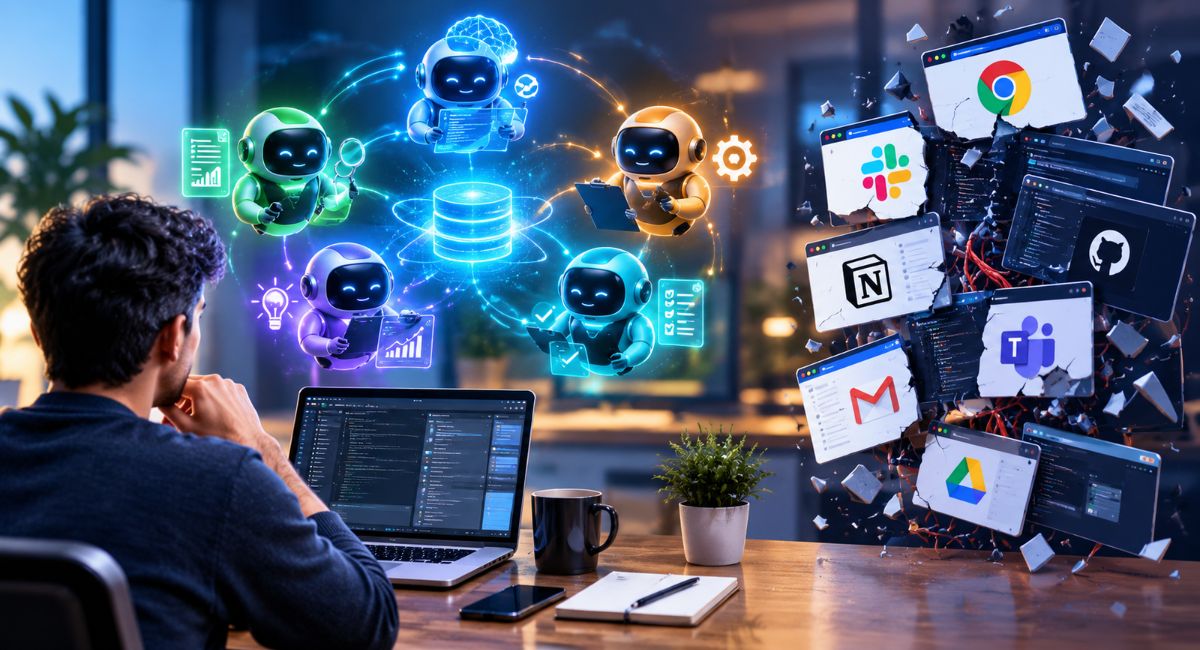
Artificial intelligence has evolved past single-prompt software tools. Not long ago, using digital assistance meant opening a browser window, typing a query, and waiting for static output. Today, that linear interaction model is shifting toward dynamic software networks.
Modern workflows increasingly rely on specialized digital agents working together. Instead of asking one tool to manage every step, individual agents analyze information, plan next actions, and execute tasks.
While connected agent networks streamline automation and output quality, rapid developments across different platforms can lead to digital workspace fragmentation. When multiple software tools operate without shared standards or context, friction builds.
This article explains how specialized digital agents collaborate, why workspace fragmentation happens, and how to maintain an organized tech stack.
Understanding Specialized Digital Agents
To grasp how connected networks function, it helps to understand what an individual digital agent does.
Unlike simple text generators, a digital agent is software configured for specific tasks. It follows an iterative operational cycle:
- Perceive: Reads incoming instructions, data, or trigger events.
- Plan: Determines the necessary steps to complete the goal.
- Execute: Calls connected tools such as database queries or document searches to complete actions.
- Evaluate: Checks output against defined quality rules before finishing.
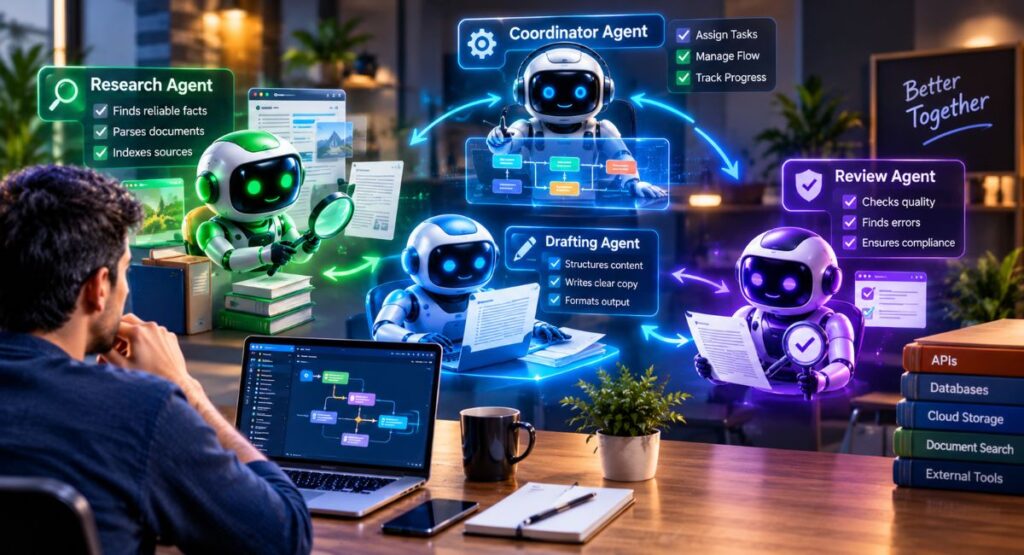
When multiple agents collaborate across a shared workflow, tasks are divided among specialized roles:
- Research Agent: Gathers facts, parses files, and indexes source materials.
- Drafting Agent: Structures raw information into actionable reports or copy.
- Review Agent: Audits content for style guidelines, formatting, or compliance errors.
- Coordinator Agent: Manages task assignments, output handoffs, and workflow sequences.
How Interconnected Agent Loops Work
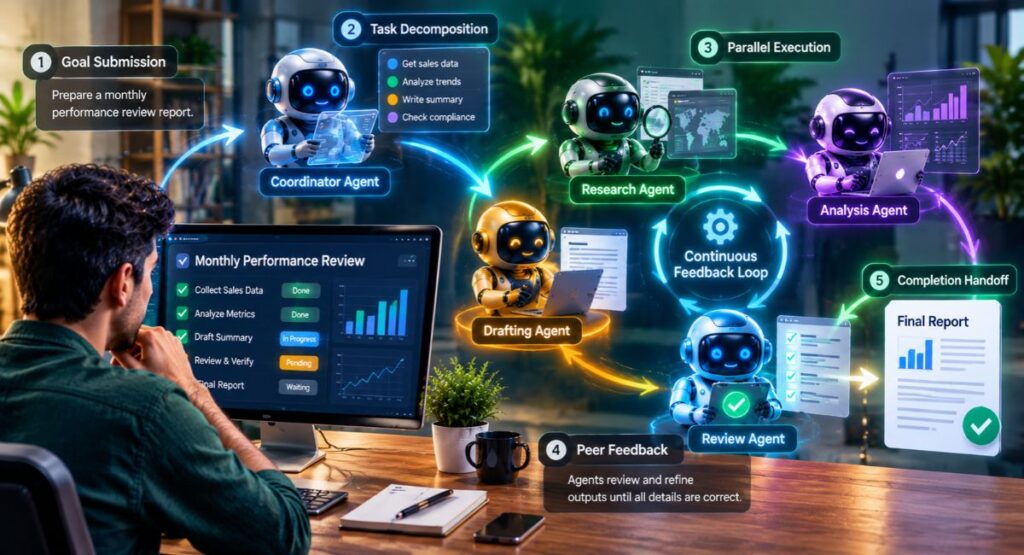
When agents work together, they establish continuous communication channels. Rather than requiring manual human prompts at every step, agents pass feedback back and forth until defined requirements are met.
Step-by-Step Collaborative Workflow
- Goal Submission: A user submits a broader project objective (e.g., Prepare a monthly performance review report).
- Task Decomposition: The coordinator agent splits the objective into distinct sub-tasks.
- Parallel Execution: Specialized agents work on separate components simultaneously, one analyzing metrics while another drafts context notes.
- Peer Feedback: Agents review and refine intermediate outputs. If the review agent finds missing details, it flags them for revision.
- Completion Handoff: The loop concludes once all criteria pass verification, delivering the final result for human review.
This collaborative setup handles multi-step operational tasks far more efficiently than single prompt windows.
Why Workspace Fragmentation Occurs
As organizations adopt tools across different software providers, maintaining smooth interoperability becomes a primary focus.
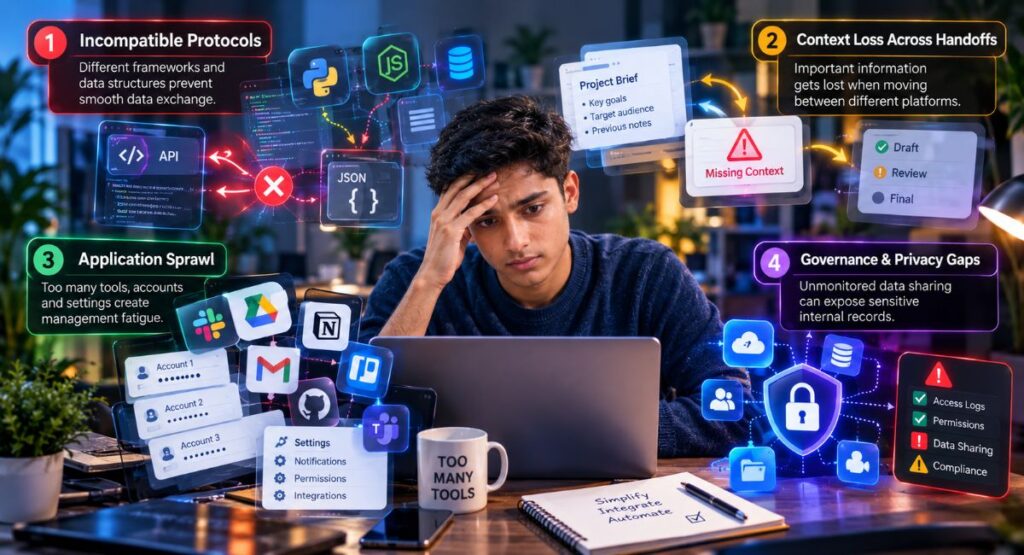
Without unified system standards, disconnected tools create friction in your daily operations:
1. Incompatible Protocols
Software providers build tools using varying frameworks and data structures. When platforms cannot exchange structured data cleanly, workflows stall or require manual exports.
2. Context Loss Across Handoffs
When information transfers across separate platforms, subtle background context can drop out. This leads to repeated steps or inconsistent outputs across different stages of a project.
3. Application Sprawl
Adopting standalone tools for minor tasks creates management fatigue. Managing isolated accounts, login permissions, and separate settings drains time that automation was meant to save.
4. Governance & Privacy Gaps
When automated software tools exchange records freely, tracking access permissions requires deliberate oversight. Unmonitored data sharing can expose sensitive internal records.
Comparing Single-Tool vs. Multi-Agent Workflows
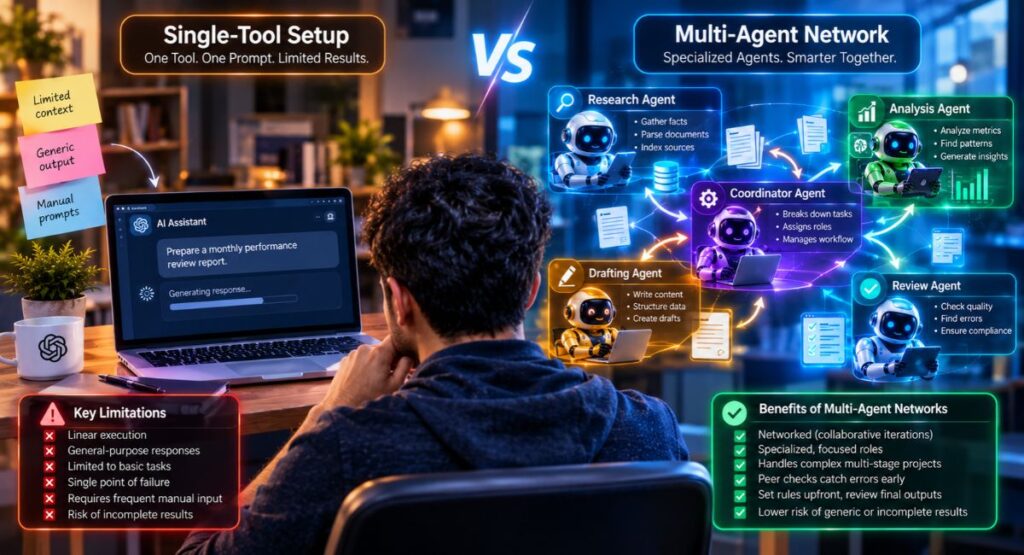
Evaluating standard single-tool interactions alongside integrated agent networks helps clarify where management focus is needed:
| Feature | Single-Tool Setup | Multi-Agent Network |
| Execution Style | Linear (Prompt Output) | Networked (Collaborative iterations) |
| Role Design | General response handling | Focused, specialized functions |
| Operational Scope | Basic prompts & quick Q&A | Complex multi-stage projects |
| Error Handling | Single failure halts task | Peer checks catch errors before completion |
| Human Supervision | Frequent manual prompting | Set upfront rules, review final outputs |
| Primary Risk | Generic or incomplete answers | System fragmentation & disconnected context |
5 Practical Steps to Maintain an Integrated Workspace
Managing digital ecosystems does not require deep technical expertise. These core practices keep workflows connected and dependable:
1. Choose Open Standards and Connected Platforms
Prioritize platforms offering standard API access, clean data exports, and broad integration support. Avoid proprietary tools that lock data inside isolated environments.
2. Implement Human Oversight Gates
Include explicit human review steps before critical actions execute, such as sending client communications, updating databases, or publishing materials.
3. Maintain Central Knowledge Bases
Provide agents access to a shared repository of project documentation, style guidelines, and source data. Centralizing information keeps outputs consistent across all tools.
4. Set Clear Permission Boundaries
Follow the principle of least privilege. Limit research tools to read-only access while restricting administrative edit rights to specific supervisory processes.
5. Consolidate Software Tools
Rather than subscribing to dozens of single-purpose apps, focus on core platforms that accommodate integrated workflows in one central dashboard.
The Future of Connected Tools
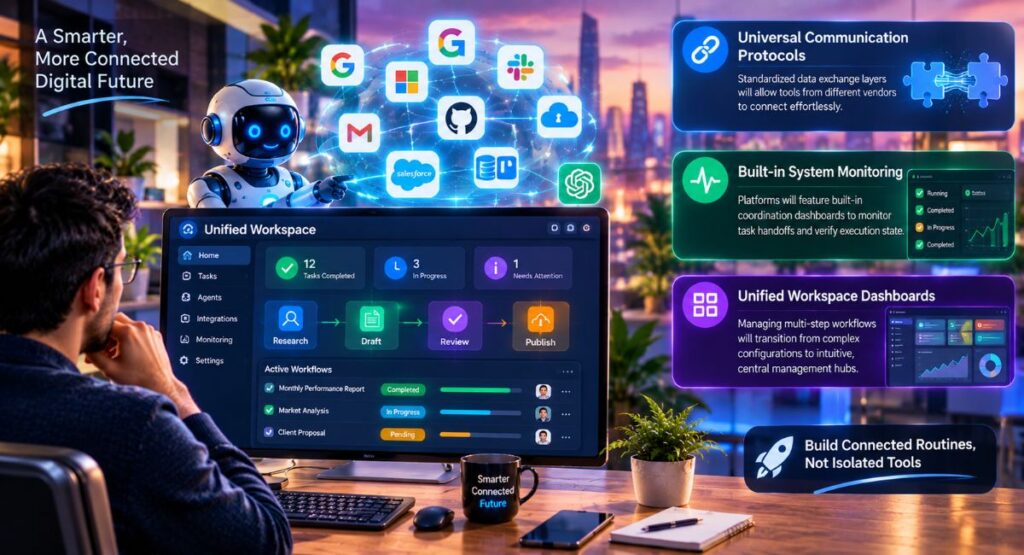
As software standards mature, workspace integration will become far more seamless:
- Universal Communication Protocols: Standardized data exchange layers will allow tools from different vendors to connect effortlessly.
- Built-in System Monitoring: Platforms will feature built-in coordination dashboards to monitor task handoffs and verify execution state.
- Unified Workspace Dashboards: Managing multi-step workflows will transition from complex configurations to intuitive, central management hubs.
Successfully adopting modern digital tools comes down to building clear, connected routines rather than accumulating isolated applications.
Conclusion
The evolution from single-prompt interactions to collaborative agent networks marks a major shift in how digital work gets done. While software fragmentation presents real operational challenges, establishing structured workflows, clear security guardrails, and centralized information keeps your tech stack running smoothly.