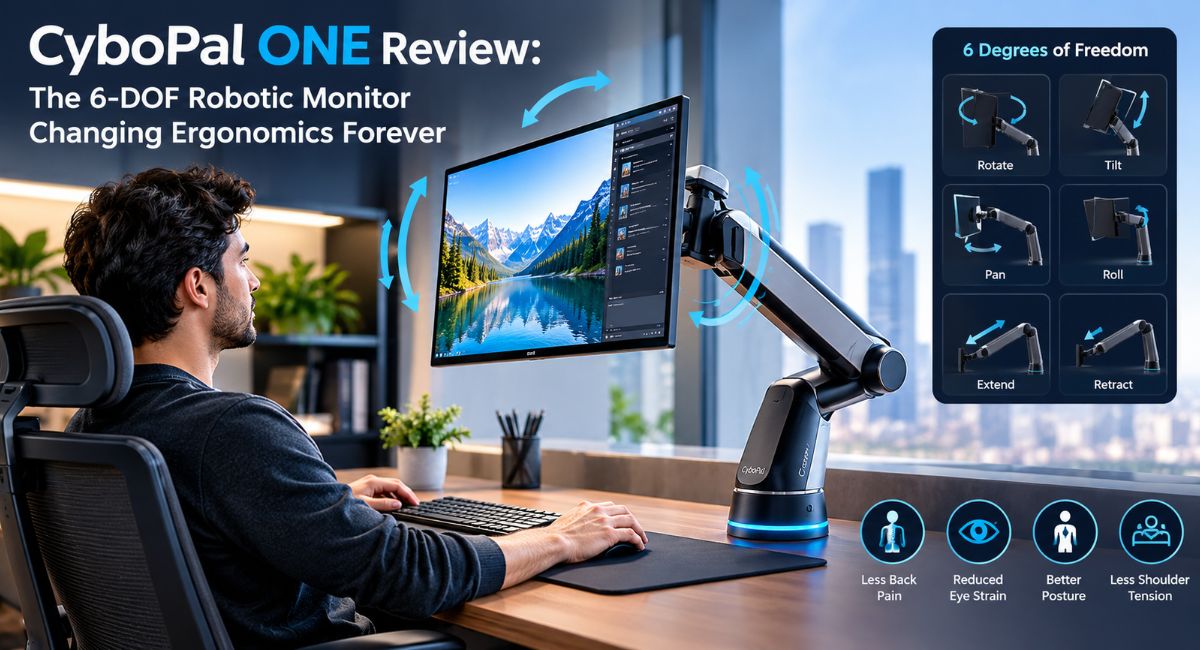
If you spend hours sitting at a desk, you know the physical toll it takes on your body. Lower back stiffness, neck strain, and shoulder tension have become accepted side effects of modern office work.
While adjustable desks and high-end office chairs have helped improve workplace comfort, monitor placement remains a major challenge. Standard computer screens sit on fixed stands or basic monitor arms, forcing you to adjust your body to match the display. Over time, poor screen positioning leads to slouching, eye fatigue, and long-term joint pain.
The CyboPal ONE aims to change that equation entirely.
As the world’s first consumer-grade 6-DOF (Six Degrees of Freedom) robotic monitor arm, the CyboPal ONE introduces robotics directly into your workspace. Instead of static support, it delivers dynamic, intelligent movement designed to adapt to your body throughout the day.
In this article, we’ll cover how the CyboPal ONE works, its key features, how it supports your health, and whether it is the right ergonomic upgrade for your setup.
What Is the CyboPal ONE?
The CyboPal ONE is a smart, robotic monitor arm designed to hold your computer screen and move it fluidly in three-dimensional space. Unlike traditional manual monitor mounts that require you to turn knobs, adjust tension screws, or physically push heavy screens into place, the CyboPal ONE uses internal precision motors and intelligent sensors to handle screen positioning automatically.
The standout technology behind the CyboPal ONE is its 6-DOF robotic architecture. In physics and engineering, degrees of freedom refer to the specific ways an object can maneuver through space. The CyboPal ONE gives your monitor six distinct types of motion:
- Up and Down (Vertical elevation)
- Left and Right (Horizontal panning)
- Forward and Backward (Extension and depth)
- Pitch (Tilting up or down)
- Yaw (Swiveling side to side)
- Roll (Rotating between portrait and landscape modes)
By combining these six movement axes into a single automated mount, the CyboPal ONE can float your monitor to virtually any location on your desk with complete precision.
Why Traditional Ergonomics Fail Modern Desk Workers
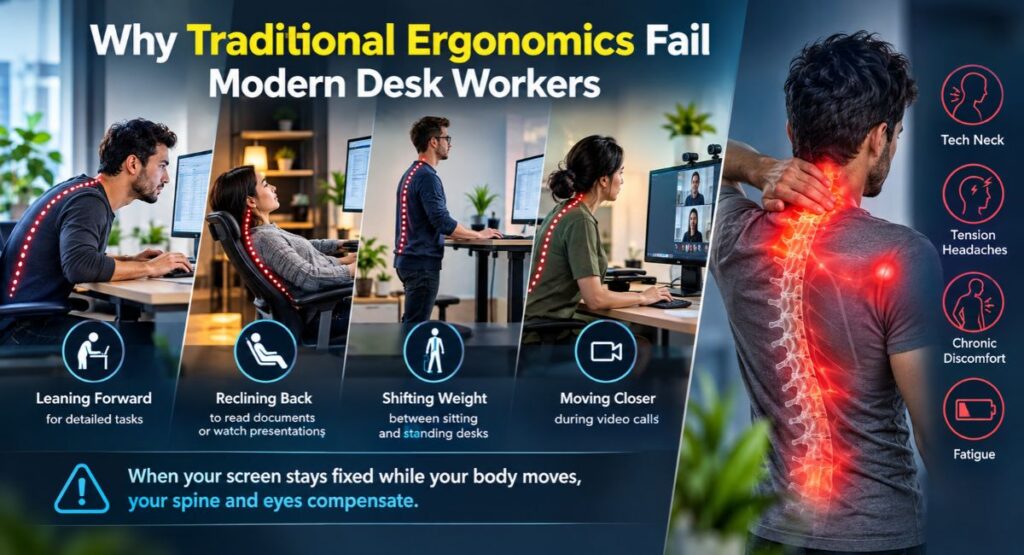
To appreciate why a robotic monitor arm matters, it helps to understand why traditional ergonomic setups often fall short.
When setting up a desk, most health guidance recommends placing your monitor directly in front of you, about an arm’s length away, with the top line of text at or slightly below eye level. While this advice works well in theory, it assumes your body stays completely static all day.
In reality, humans are made to move. Throughout a typical workday, your sitting posture changes constantly:
- You lean forward to focus on detailed tasks or spreadsheets.
- You recline back to read documents or watch a presentation.
- You shift your weight when switching between sitting and standing desks.
- You move closer to the camera during video calls.
When your screen stays fixed while your body moves, your spine and eyes compensate. Leaning forward toward a distant monitor pulls your neck out of alignment, a condition often called tech neck. Over months and years, this bad posture places excessive pressure on your cervical spine, leading to chronic discomfort, tension headaches, and fatigue.
Key Features of the CyboPal ONE
The CyboPal ONE goes beyond simple motorization to bring intelligent automation to your desk setup. Here are its primary technical features:
Smart Gesture and App Control
Adjusting the CyboPal ONE does not require complex mechanical tools. You can move your screen using subtle hand gestures, direct physical touch controls, or a desktop app interface. If you want the screen closer, a gentle touch or gesture brings it forward immediately.
Preset Posture Profiles
Most users switch between distinct work modes throughout the day, such as writing, deep focus, video conferencing, and casual reading. The CyboPal ONE allows you to program one-touch preset positions. With a single click or command, the arm shifts your monitor to the ideal height, angle, and distance for your current task.
Active Posture Reminder and Micro-Movements
Static posture, even when perfectly aligned, restricts circulation. The CyboPal ONE features a gentle micro-movement mode. At set intervals, the arm makes subtle, almost imperceptible adjustments to screen height and tilt. These gentle movements prompt your body to make minor muscle adjustments naturally, boosting blood circulation and reducing physical fatigue without distracting you from your work.
Heavy-Duty Weight Capacity
Robotic motion is only useful if it can safely handle real-world displays. The CyboPal ONE is built with robust materials and high-torque electric motors capable of supporting heavy ultra-wide displays, curved gaming monitors, and standard office screens.
Integrated Cable Management
Desk clutter can spoil an ergonomic workspace. The CyboPal ONE features built-in internal routing channels that conceal power cables, display connections, and USB cords, keeping your desk clean and organized.
How the CyboPal ONE Improves Health and Productivity
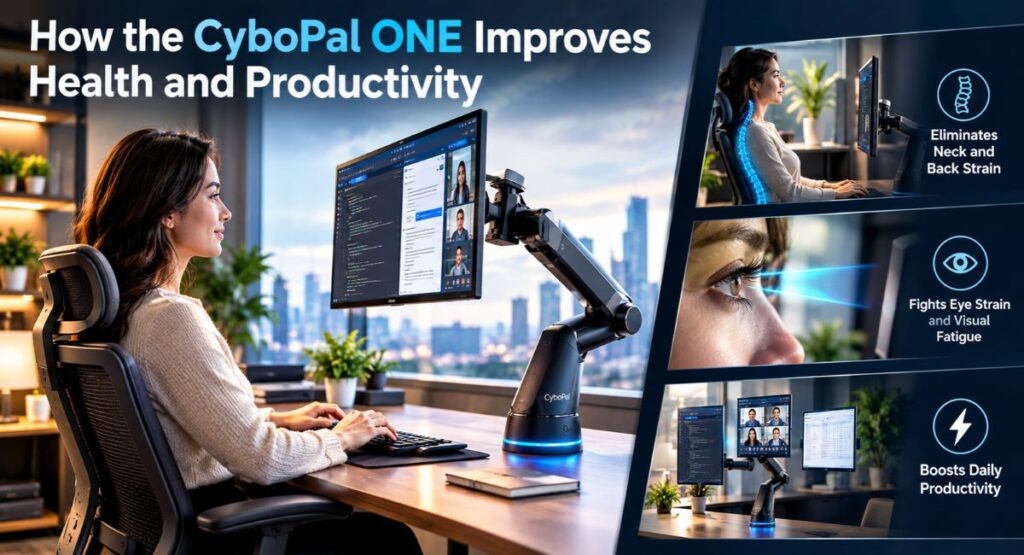
Investing in an automated robotic monitor arm provides distinct advantages for daily physical comfort and focus.
Eliminating Neck and Back Strain
By letting your monitor follow your movement instead of forcing your spine to compensate for a stationary screen, the CyboPal ONE maintains natural spinal alignment. Whether you’re sitting upright, reclining, or standing, your display stays at the correct visual distance and height.
Fighting Eye Strain and Visual Fatigue
Holding your eyes at a fixed focal length for hours causes eye strain and dryness. The CyboPal ONE’s natural, subtle depth adjustments slightly shift your focal distance over time, giving your eye muscles a break and reducing visual fatigue during long work sessions.
Boosting Daily Productivity
Switching between coding, document review, and video meetings often requires different screen orientations and angles. Manual adjustments interrupt your workflow, so most people end up leaving their monitor in an imperfect position. The automated presets on the CyboPal ONE make switching screen orientations instantaneous, helping you stay focused and productive.
Setup and Installation: What to Expect
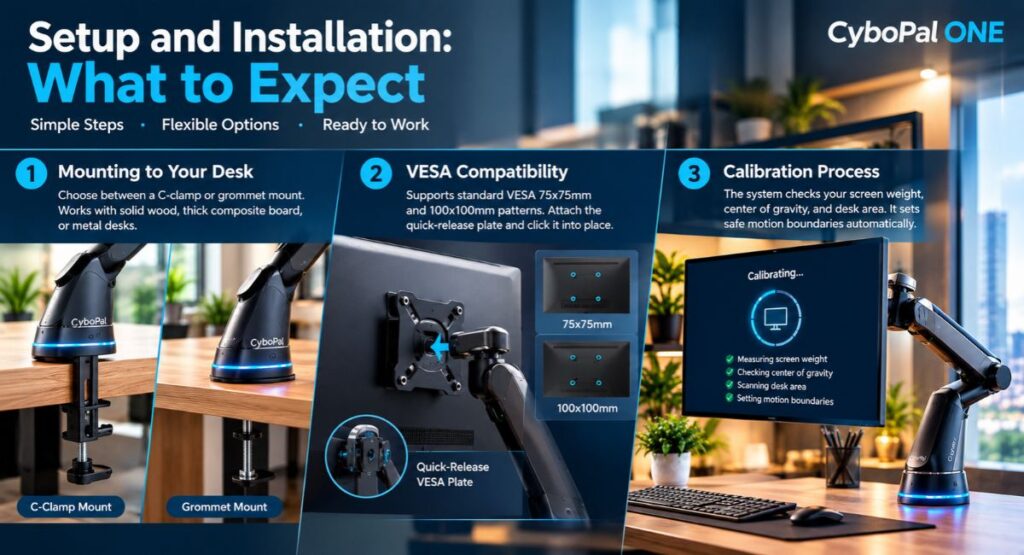
Integrating an advanced piece of hardware into your workstation might sound complicated, but the CyboPal ONE is designed for easy installation.
1. Mounting to Your Desk
The CyboPal ONE supports standard desk attachment methods, including a heavy-duty C-clamp for desk edges and a grommet mount for desks with built-in cable holes. The mount requires a sturdy desk surface such as solid wood, thick composite board, or metal to support the arm and monitor safely.
2. VESA Compatibility
The monitor attachment plate supports standard VESA 75x75mm and 100x100mm patterns, making it compatible with almost all modern computer displays. To mount your screen, secure the quick-release VESA plate to the back of your monitor, then click it firmly into the arm socket.
3. Calibration Process
Once mounted and powered on, the CyboPal ONE runs a brief initial calibration sequence. The system measures your screen weight, checks its center of gravity, and scans the desk area to set safe motion boundaries. This quick automatic setup ensures smooth movement and prevents screen collisions with nearby objects.
CyboPal ONE vs. Traditional Monitor Arms
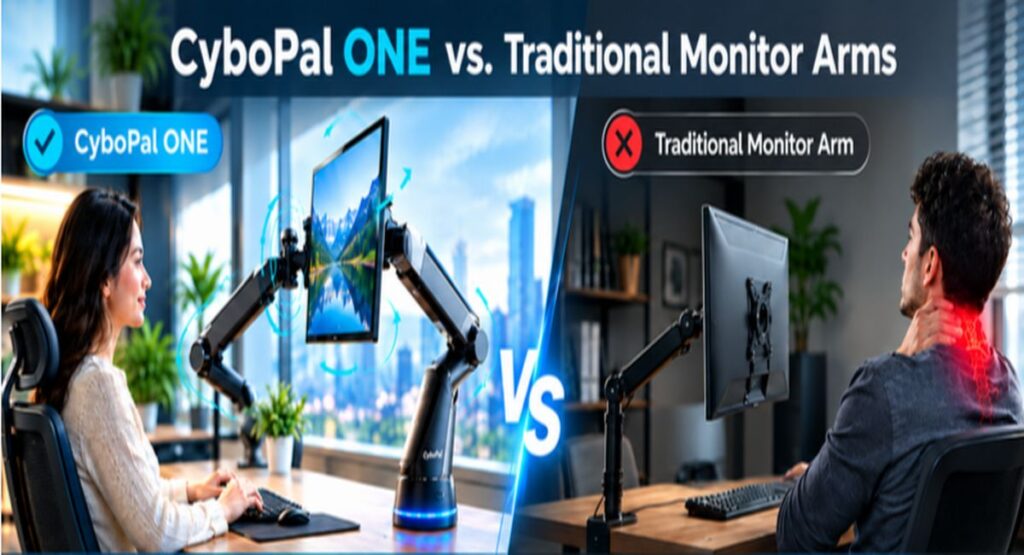
To help you decide if a robotic arm fits your needs, here is a direct comparison between the CyboPal ONE and traditional mechanical monitor mounts:
| Feature | Standard Monitor Stand | Premium Mechanical Gas-Spring Arm | CyboPal ONE 6-DOF Robotic Arm |
| Adjustment Method | Manual / None | Manual Push & Pull | Automated / Gestures / App Presets |
| Motion Precision | Very Low | Moderate | High (6-DOF Motorized Precision) |
| Posture Adaptation | Static | Semi-Static | Active & Dynamic |
| Screen Rotation (Portrait/Landscape) | Fixed or Manual | Manual Rotation | Automated / One-Touch |
| Active Posture Prompts | No | No | Yes (Micro-movements) |
| Cable Management | Basic Clips | Internal Channels | Integrated Channel Architecture |
| Ease of Use | Low | Moderate | High |
Who Is the CyboPal ONE Best For?
While any desk worker can benefit from better ergonomics, the CyboPal ONE is tailored for specific user groups:
- If you spend 8 to 12 hours a day at your computer, automated movement can lower your daily physical stress and keep you comfortable.
- Coders and analysts who regularly switch between horizontal layouts and vertical portrait modes will love automated one-touch rotation.
- Designers and editors who move closer to their display for detailed editing and back away for broad reviews can reposition their screen effortlessly.
- When moving between sitting and standing modes, your eye level shifts dramatically. The CyboPal ONE automatically syncs screen height with your position.
- Anyone recovering from spinal strain, neck soreness, or chronic joint issues can rely on the CyboPal ONE to reduce physical stress.
Pros and Cons of the CyboPal ONE
Before investing in new workstation hardware, it helps to weigh the main strengths and potential drawbacks.
Pros
- True 6-DOF Robotic Freedom
Offers smooth, motorized movement across all three spatial dimensions and tilt angles.
- Ergonomic Design
Keeps screens properly aligned with your eyes automatically to relieve spinal pressure.
- Active Health Features
Subtle micro-movements help keep circulation flowing and lower posture fatigue.
- Simple Preset Controls
Switch screen positions instantly using gestures, buttons, or software presets.
- Solid Build Quality
Sturdy construction easily supports large, heavy premium displays.
Cons
- Higher Price Point
As an advanced robotic system, it costs more than traditional manual monitor arms.
- Requires Power
The motorized arm must be plugged into an electrical outlet to function.
- Desk Clearance Needed
The arm requires clear space behind and above your desk to move smoothly.
Frequently Asked Questions (FAQs)
1. Is the CyboPal ONE compatible with all computer monitors?
Yes, as long as your display features standard VESA mounting patterns (75x75mm or 100x100mm) and falls within the supported weight range, the CyboPal ONE will mount and balance your screen easily.
2. How does the CyboPal ONE prevent my monitor from bumping into my wall?
The system includes built-in safety sensors and soft limit stops configured during calibration. These settings prevent the robotic arm from extending past your desk boundary or contacting walls and office items.
3. Can I still move the screen manually if needed?
Yes. Although designed around motorized controls and presets, the CyboPal ONE features clutch mechanisms that let you make manual adjustments smoothly without damaging internal motors.
4. Is the robotic motor noisy during operation?
No. The CyboPal ONE uses whisper-quiet precision brushless motors. Its adjustments, presets, and micro-movements operate quietly without disrupting phone calls or distracting your work.
Conclusion
The CyboPal ONE 6-DOF Robotic Monitor Arm is a genuine leap forward for modern workplace ergonomics. By replacing fixed, rigid stands with fluid motorized movement, it stops forcing your body to adapt to your screen and lets your screen adapt to you instead.
While standard monitor arms offer basic height and angle adjustments, they remain static once set. The CyboPal ONE goes beyond static ergonomics with smart presets, 6-DOF movement, and active posture support.
If you want to end neck strain, boost daily energy, and build a modern, high-performance workspace, the CyboPal ONE is one of the best ergonomic upgrades you can make for your health.