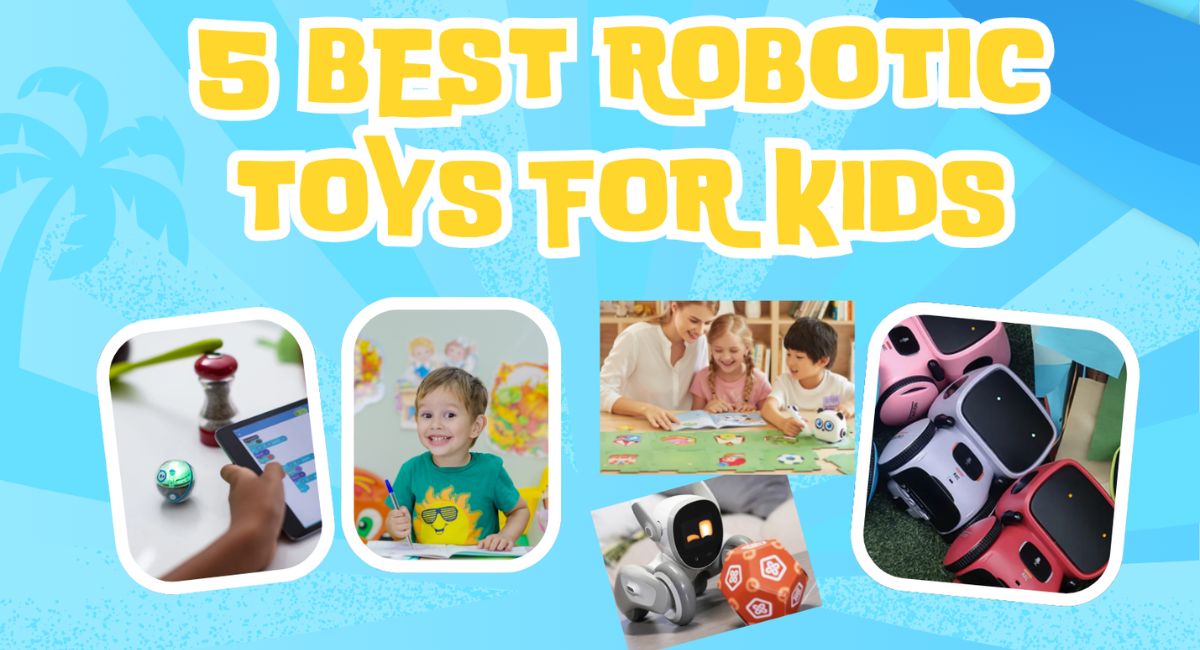
Today, robots are seen working everywhere. To eliminate parents’ worries and help children succeed, robots have been introduced that teach children to read and write while playing.
Children who enjoy playing can also receive an education from digital robots while pursuing their passion. Along with teaching digital science, engineering, global education, etc., they also develop mentally, physically, and emotionally.
Especially the early years of childhood, from ages 2 to 8, when they learn to read and play. During this time, if you choose toys for children, it is better to choose robotic toys.
Children aged 2 to 8 will be taught physical, mental, and practical skills, so they will be more experienced and have a digital mindset than other children.
| Table of Content 1. Gilobaby 2. mTiny 3. Botley 4. Loona 5. Sphero Mini Important Instructions Conclusion |
Specifications of Robotic Toys
| Robots | Kids aged | Mechanical material | Price |
| Gilobaby | 3 to 8 | ABS Plastic | USD$32.99 |
| mTiny | 4 to 6 | Silicone | US$229.99 |
| Botley | 5 to 8 | Durable Plastic | US$68.14 |
| Loona | 2 to 8 | Plastic | $527.99 |
| Spero Mini | 5 to 8 | Plastic | US$50.00 |
1. Gilobaby
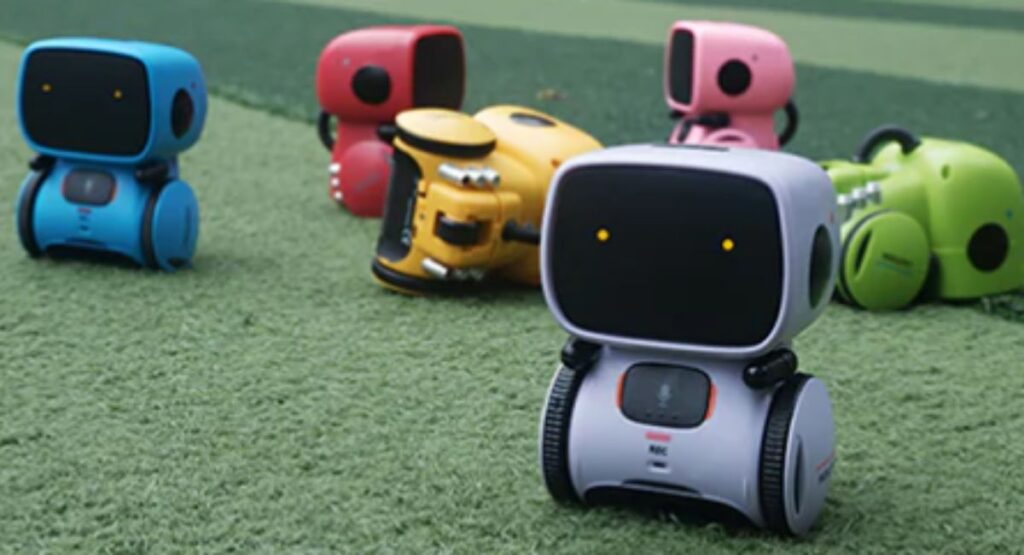
A smart, interactive Gilboaby robot-like toy for children over 3 years old. Designed for children to teach and play
Children can give commands, and it responds accordingly. It repeats its words so that children can easily understand. Its voice can be recorded. It moves left and right and circles. It also sings and dances to relieve children’s boredom.
Key Features
Touch Sensors.
Teaching Kids Coding.
Teaching Skills with Fun.
Structure
- The Gilobaby robot’s control unit, the brain of the robot, teaches children skills. The chip installed in it controls all the systems.
- There is a button on its chest. Pressing this button turns it on and off.
- A small motor drives the robot’s tires.
- A battery is installed on the back, which can be charged via a USB drive or alternating current. Two eyes in front light up in blue, yellow, red, and different colors.
2. mTiny
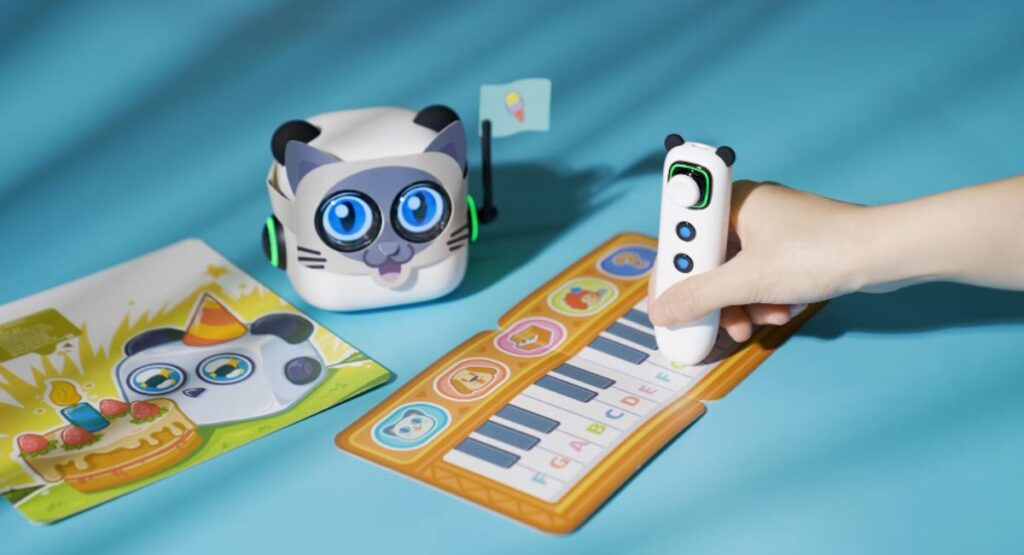
The mTiny Robot has been designed by MakeBlock to teach free coding to children aged 4 to 6 years. So that children are inclined towards computers from the beginning, their interest in those things increases even more with age.
When children learn to code from age 4, they will become fully skilled by the time they are older. The purpose of introducing the mTiny robot is to teach children skills without a computer screen. The light from the computer is so bright that if a 4-year-old child uses it continuously for a year, their eyesight will decrease by 1.1%.
Key Features
Teaches kids free coding.
Attracts kids with its beautiful design.
The cards inside it keep kids from getting bored while learning to coding.
The joystick makes it different from all other robots.
Kids feel happy moving the robot back and forth with the joystick and learning.
Structure
The two main parts of the mTiny robot are the main part and the Joystick. The main part, i.e., the body, contains the sensor, motor, tire, and battery to operate the robot.
On the outside of the body, two eyes light up in different colors. There are two ears to add to the beauty. There are two indicator lights on the right and left.
On the back, there is a speaker on the top and a USB drive at the bottom. Whose sound is up to 350?
The joystick acts as a remote control. There are two main buttons in front of the Joystick. The top button turns the robot on. The bottom button turns off the robot.
The button on the side holds the robot for about two seconds.
There is a part above it to connect the USB drive cable. One end of the cable connects to the joystick, and the other connects to the robot’s body, which charges the battery.
When the battery is low, the pen controller in the eyes turns red, and when the charge is complete, the green light turns on. The child can easily control the robot through the joystick.
3. Botley
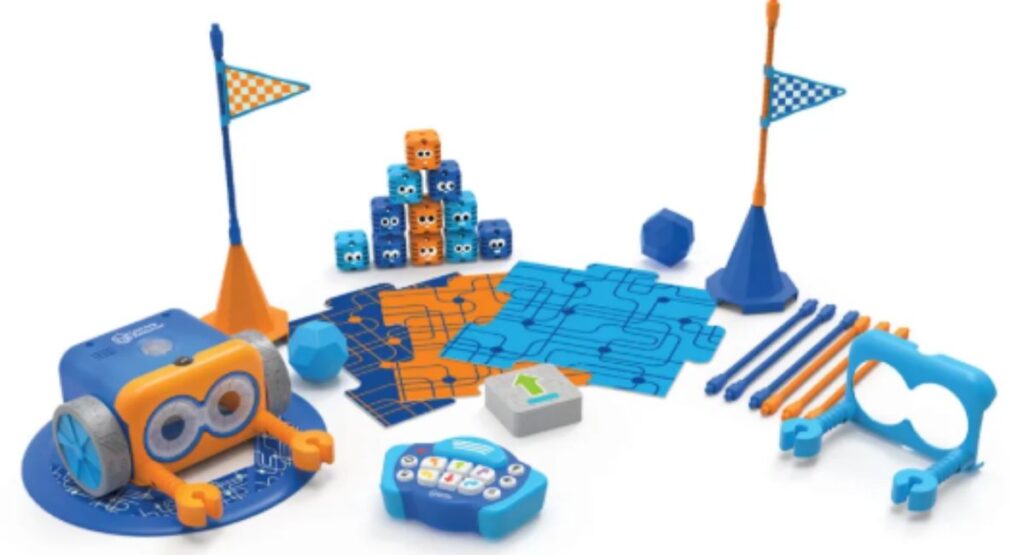
The aim of introducing Botley is to teach coding and programming to children aged 5 to 8. In this digital era, coding and programming are top priorities for everyone. Teaching children skills through robots increases their mental and physical abilities.
Children often get bored while learning skills. It teaches children through play. They can enjoy it at home, at school, in the classroom, or anywhere. It follows the prompts given by the children. If the child draws a black line on white paper, Botley walks on it to represent that line.
Children enjoy it. Children make it through this process repeatedly. By doing this, it teaches children how to overcome obstacles in their path to achieving their goals. If parents want to see their children successful and talented, they must choose the Botley robot for their children right now.
Key Features
Coding and programming without a screen.
Skills learning coding, and kids can play games.
Use without a set time.
Teach coding using secret codes.
Structure
Botley consists of two parts: the body and the remote control. Inside the body is a compartment for the battery, sensors, and USB drive. There are two buttons on the top of the body.
There is a light and a stop button on the top. There is a button below the body that turns it on. There are two front eyes with beautiful LED lights in different colors. There are two special plastic tires.
The remote control has eight buttons and a transmit button. Pressing the transmit button teaches coding and programming. Below it are four white buttons in a circle.
There are different colors above these buttons that indicate movements. Pressing the green button moves forward, the red button moves back, the yellow button moves left, and the blue button moves right.
At the end, there are four white buttons in a straight line. The first button features three buttons. By pressing the second button, the robot keeps walking in a straight line.
The third button is for deleting. By pressing the fourth button, the robot makes a sound.
4. Loona
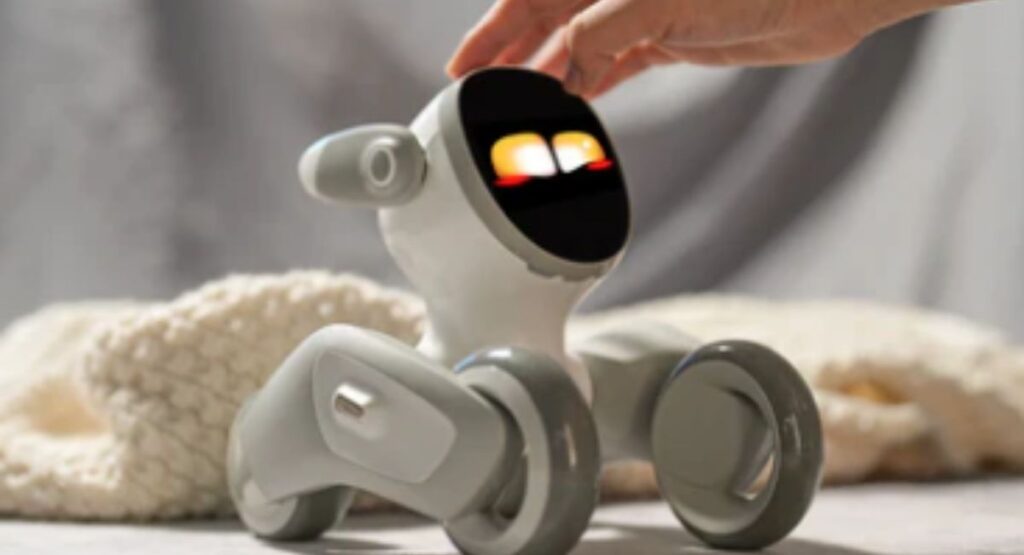
The Loona is the perfect companion to Pleasant the mood of children. It is the best choice for educational and social activities for children aged 2 to 9. In addition, people of all ages can keep it for gossip and for their own tasks.
Children can learn programming from the robot by using a special drag-and-drop code. The pet robotic toy works like ChatGPT. It answers questions asked in all kinds of languages.
It recognizes faces. It recognizes objects and tells their names. He seems to be moving around the house like a dog. Humans who work daily, Loona, learn by watching them.
Key Features
Cute pet-like design.
Controlled by mobile.
An HD RGB camera to recognize objects.
The representative of ChatGPT and Meta.
Structure
Loona is designed like a dog to make it interesting. Its interior has 3D ToF sensors, a battery, an AI brain, and a DC motor to drive the tires. Four microphones and a speaker are its main parts.
The exterior of the pet robot has an HD RGB camera, which displays different videos, and two eyes in white and yellow. When the battery runs out, it displays a red light.
There are two ears on top of the camera to listen to sounds. There are three tires, 2 in front and 1 in the back. It dances with the help of tires to please children.
5. Sphero Mini
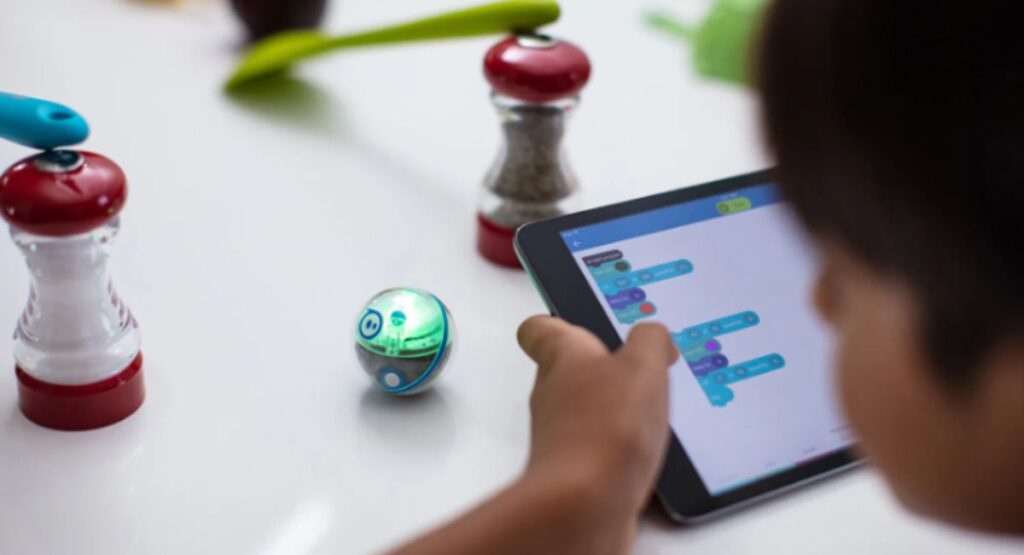
The Sphero Mini is a coding robot that also teaches technology, science, and mathematics. Teachers can teach technology and coding to children from a young age by offering it in schools. Children, adults, and people of all ages enjoy playing with this ball-shaped toy, but the Sphero Mini is specifically designed for children aged 5 to 8.
Key Features
Learning coding while playing games.
Controlled by various apps, Bluetooth smartphones, etc.
Touching the robot lights up countless beautiful lights.
Structure
There is a plastic shell on top to protect the internal contents of the robot. Inside the shell are two motors to drive the ilder wheels, an LCD, a circuit board with a microprocessor and LED lights, a connection for connecting Bluetooth, a battery cover, and a charging coil underneath.
Important Instructions
Below are the important instructions. Any person needs to read these instructions before taking a Gilobaby robot for their children; otherwise, dangerous consequences may result.
- Do not let children under the age of three come near this report.
- When giving the robot to children over the age of 3, parents should sit with the children.
- Fully charge the robot before giving it to children.
- When children are busy playing with the robot, parents should check the battery every 30 minutes.
- To extend the robot’s lifespan, turn it off when the battery is at 30%.
- Turn off the button on the top before going to bed.
Conclusion
In addition to working in homes and hospitals, robots also teach children coding, programming, science, mathematics, and technology. Parents who cannot spend time with their children due to busy schedules can choose robots for their children to help develop their mental and creative abilities. In this article, the five best robots for children aged 2 to 8, with introductions, features, and structures explained.